
REVU
Spaced learning
Learn better. Remember longer.
Turn what you’re learning into flashcards. Build a review habit that helps you remember it when it matters.
Download on the App StoreFor iPhone · Free and Plus options
Start with your material
Generate draft flashcards from PDFs, pasted text, photos or transcripts. Review and edit the results before saving.
Review with a rhythm
Adaptive spaced repetition helps you decide what to practise today, so you can focus on remembering.
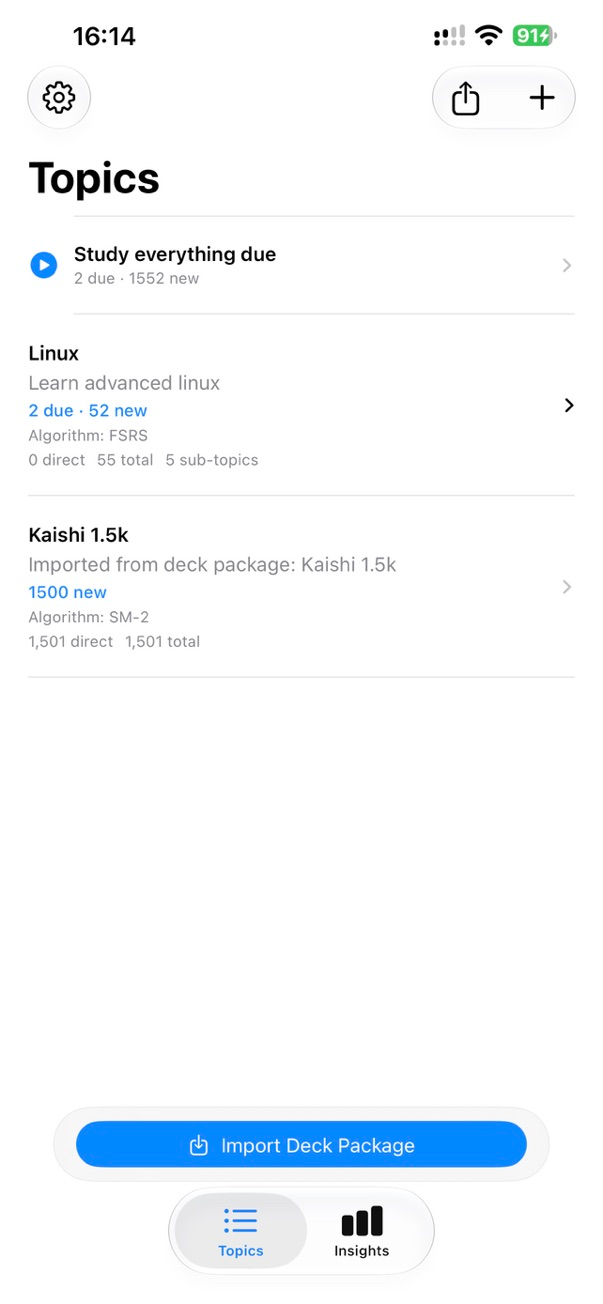
Keep the bigger picture
Organise topics, bring in existing deck packages, and follow your learning progress with insights.
A closer look at REVU 2
Your material. Your learning.
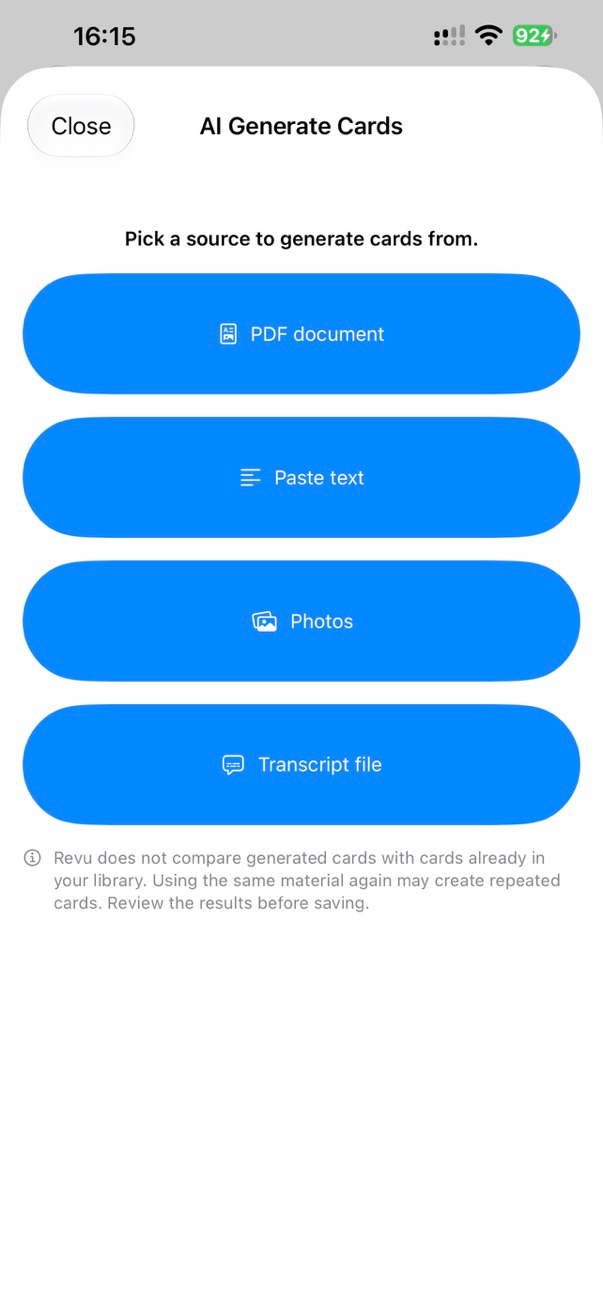
From source to flashcards
Choose the material you want to learn, then check your generated drafts.
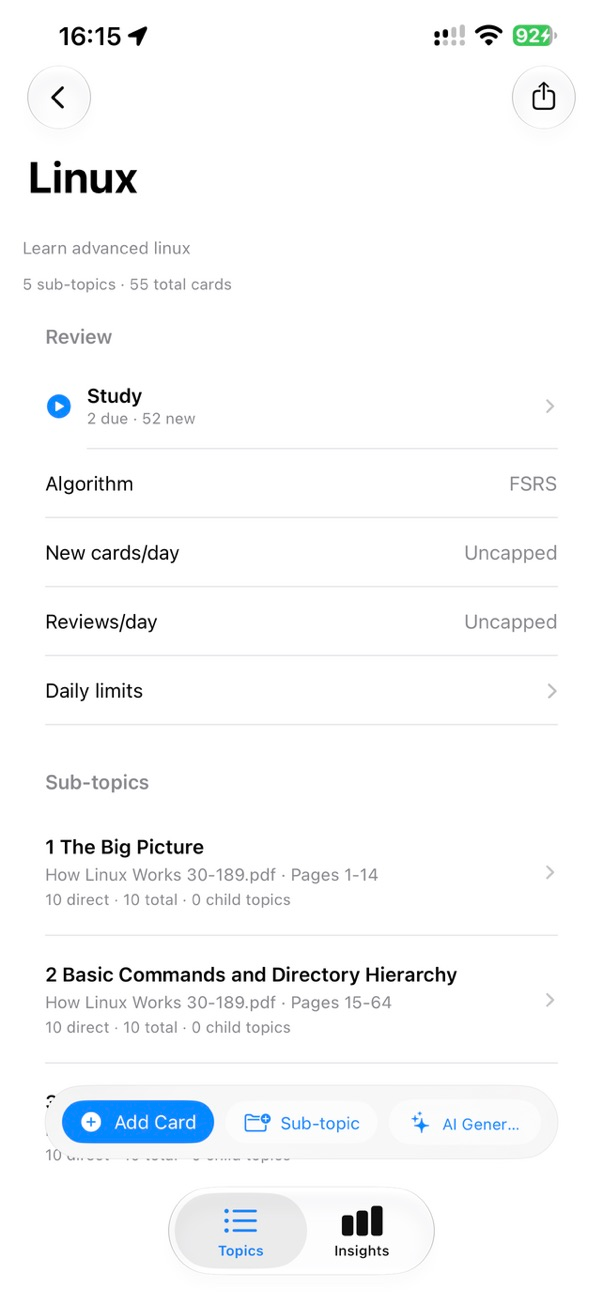
Keep chapters in context
Find your generated flashcards in subtopics based on your PDF chapters.
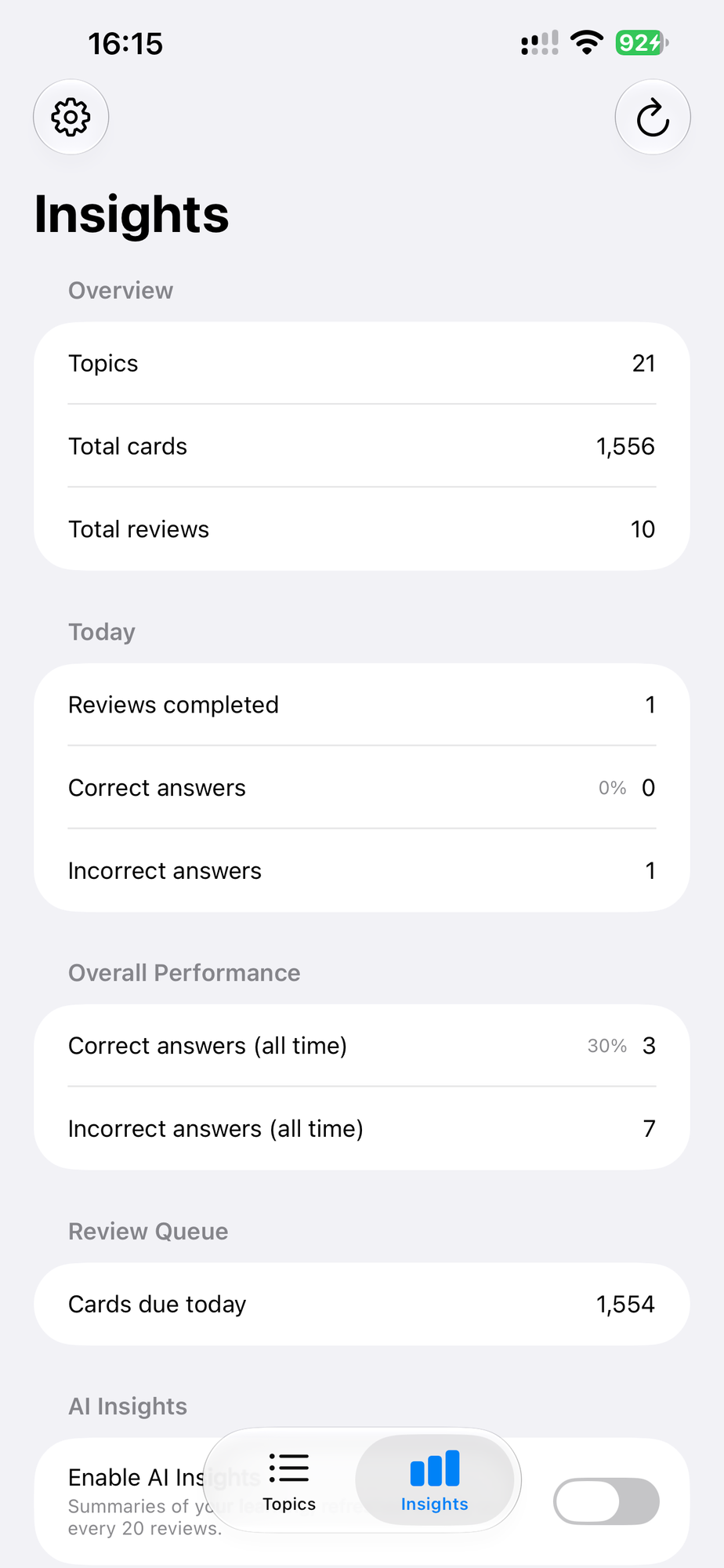
See your progress
Follow your review activity and learning over time.
REVU, in practice
Make room for what you want to know.
A small routine for lasting knowledge
Whether you’re preparing for an exam, learning a language or keeping professional knowledge fresh, REVU gives your learning a place to live.
Add cards yourself, generate drafts from your material, or import an existing deck package. Organise them into topics, work through what’s due, and come back for your next review. You can export deck packages, too.
Spaced repetition and active recall are the foundation. Explore the science behind REVU or read our articles on learning.
Your learning, with choices
Your library and reviews work offline. Optional iCloud sync keeps your material in your private iCloud space.
AI features depend on the processing route you choose. On-device options use compatible Apple Intelligence features; included cloud AI requires sign-in and your consent. Cloud features need an internet connection and are subject to usage allowances. You can also configure your own supported provider key in advanced settings.
See the REVU Privacy Policy for how each option handles your information.
Start free. Choose Plus when it fits.
REVU offers Free and Plus options, with monthly and yearly Plus subscriptions. Included cloud AI has usage allowances; it is not unlimited. Check the app for current features, allowances and local subscription prices.
All purchases are handled by Apple. Read the REVU Terms of Service or contact support if you need a hand.
Here to help
Questions about REVU?
Get in touch with Erin Consulting.